Middle school timetable Classes and practice on one page

An example of a parent and a seventh grader making a timetable together: 45-minute periods, soccer practice on weekdays and tutoring on Saturday, all on one page.

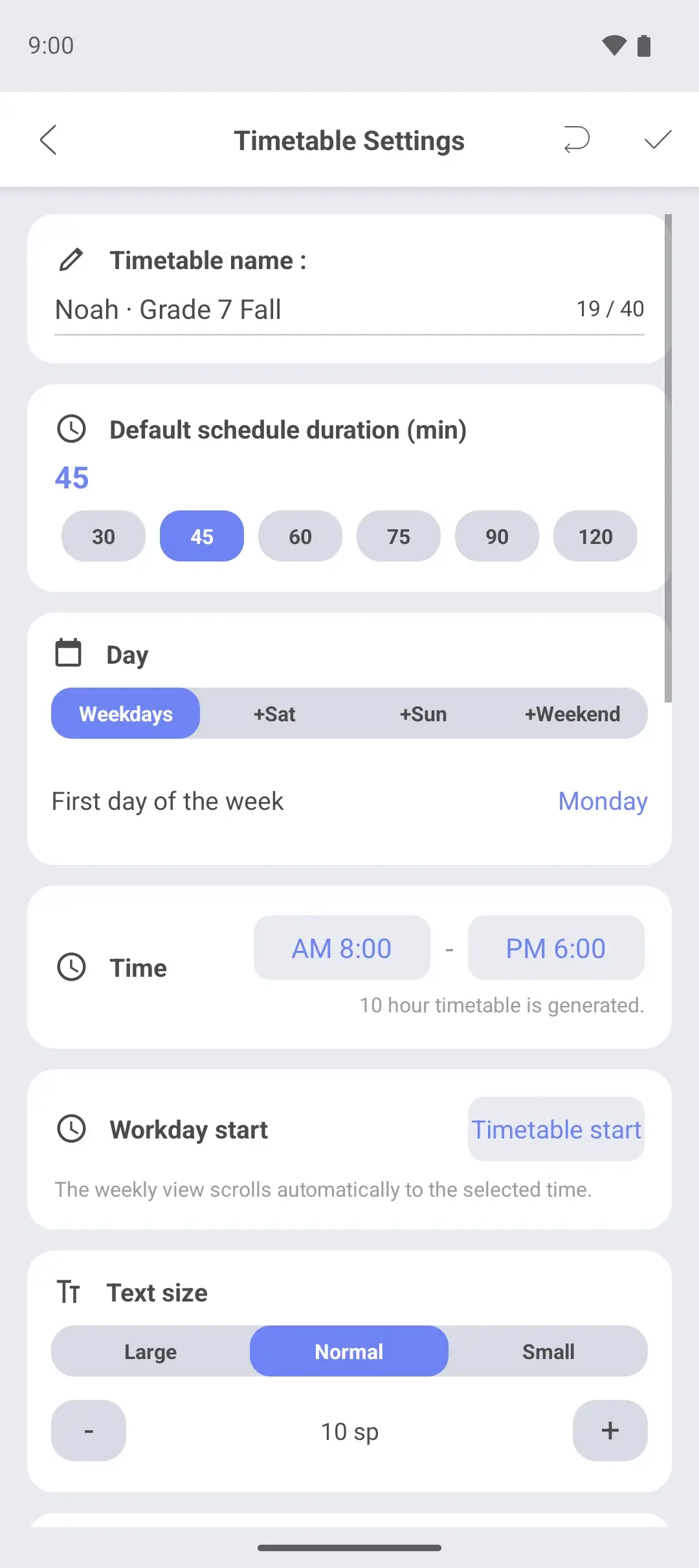
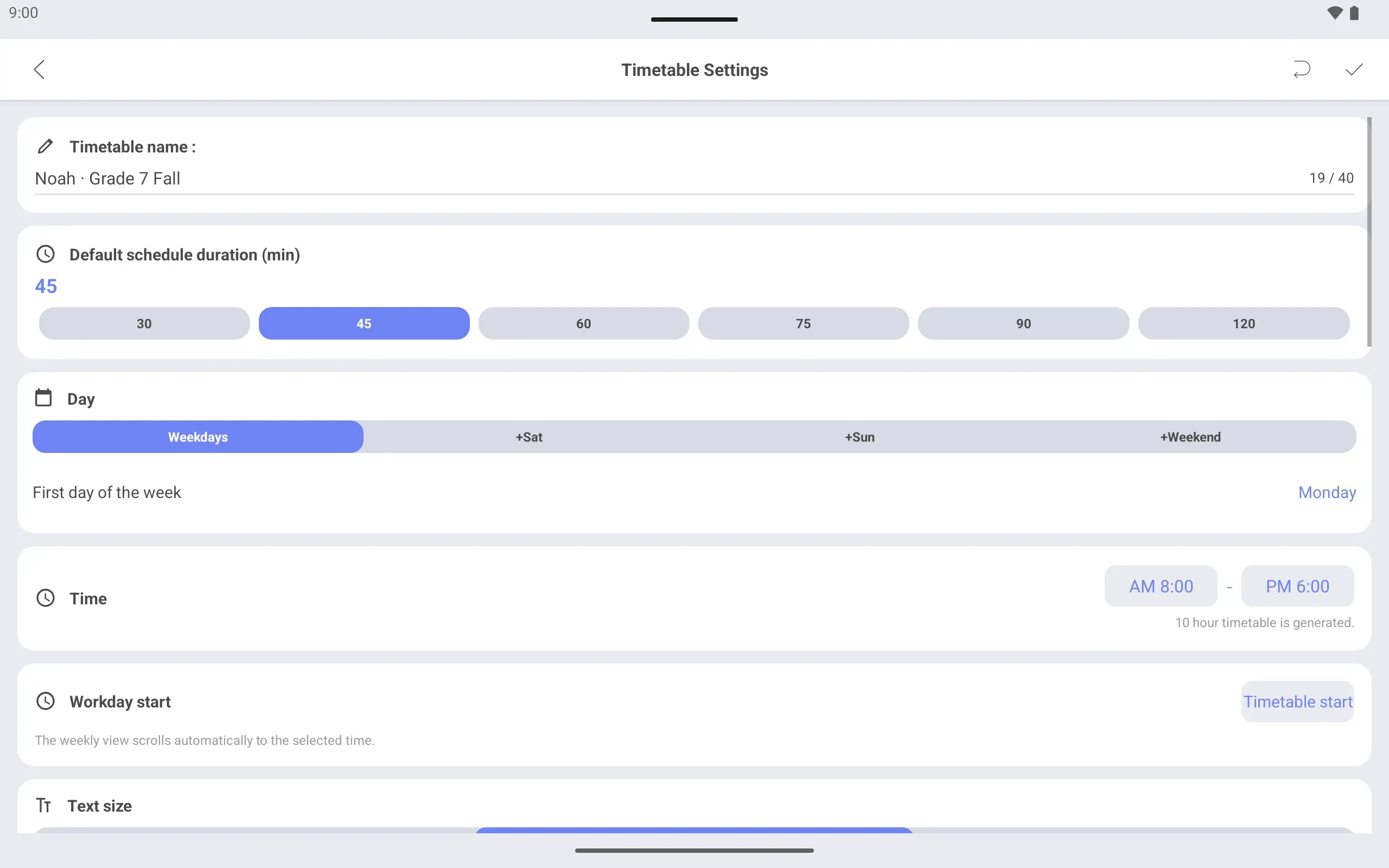
Timetable settings screen. The name is Noah · Grade 7 Fall, the days are Monday to Friday and the hours are 8 am to 6 pm.
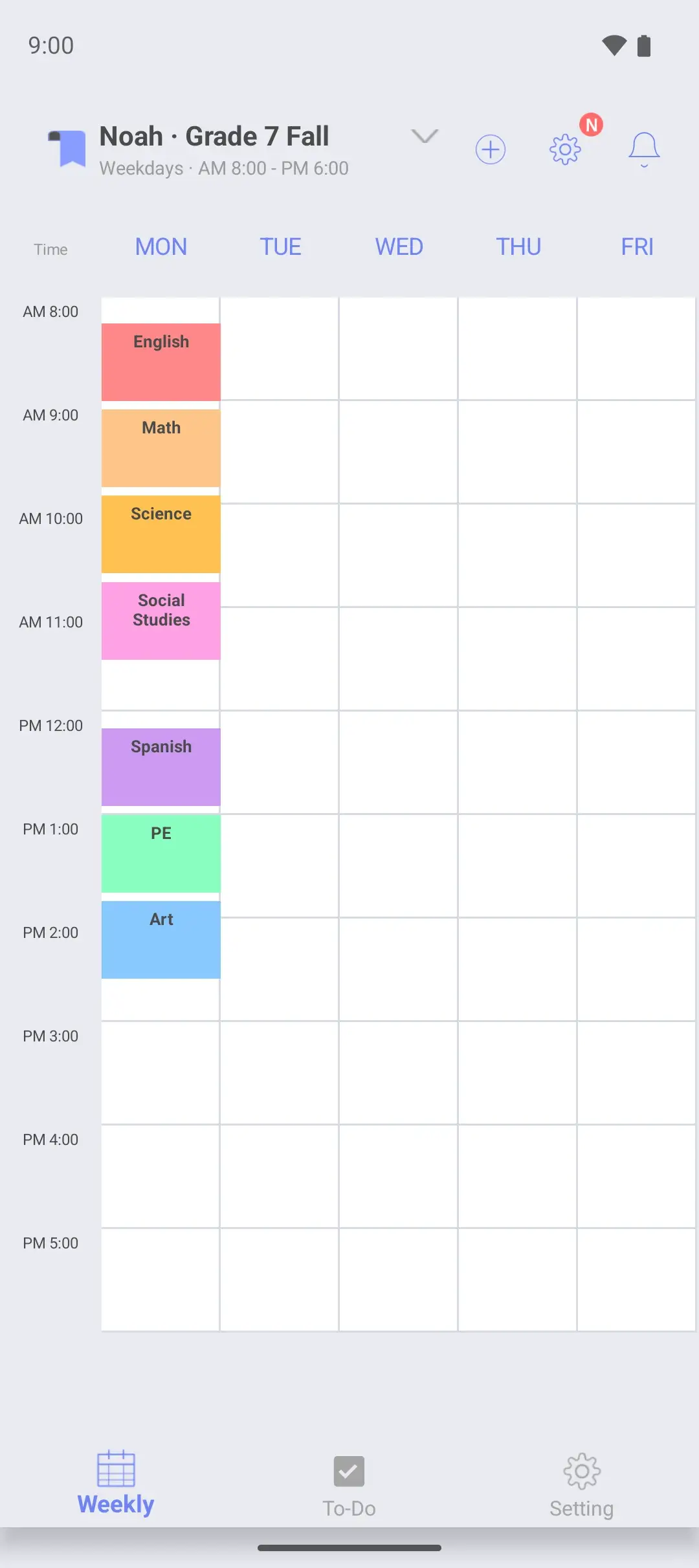
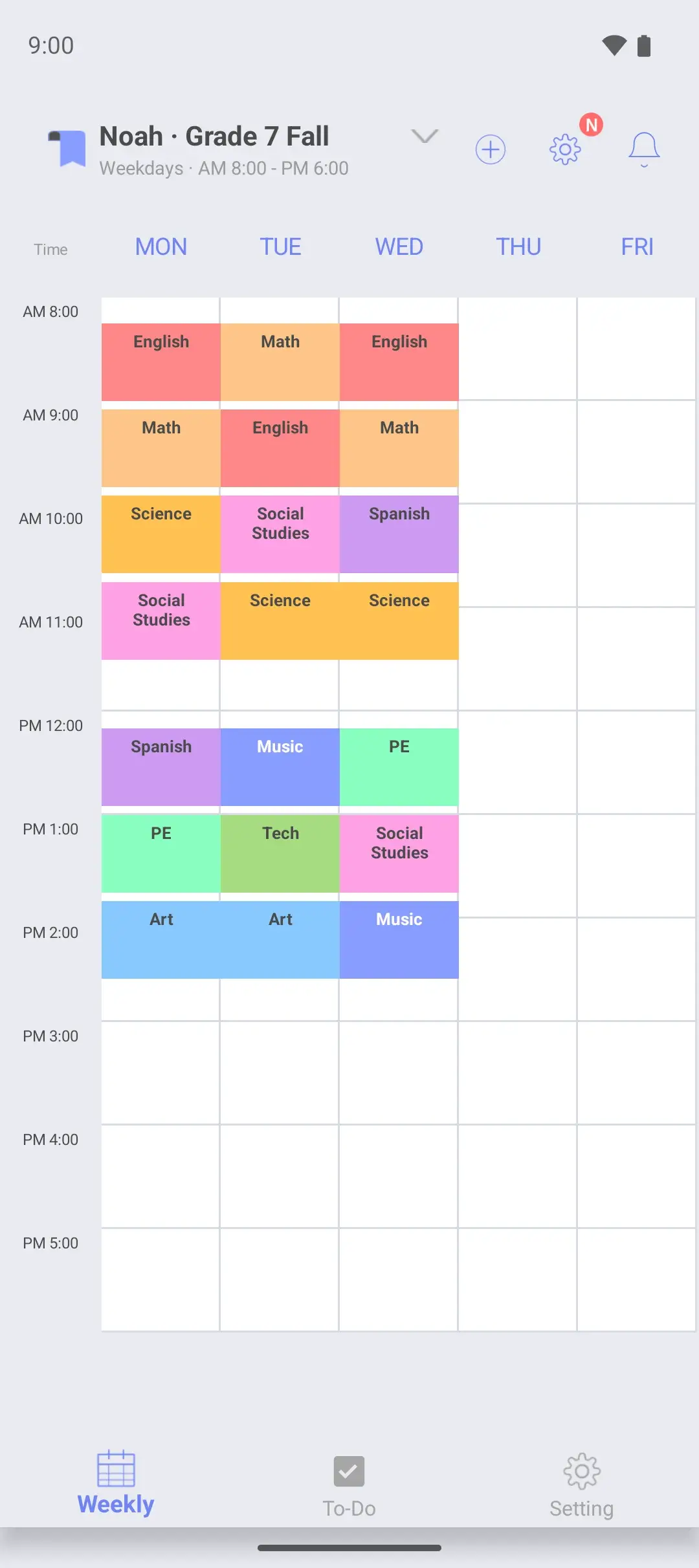
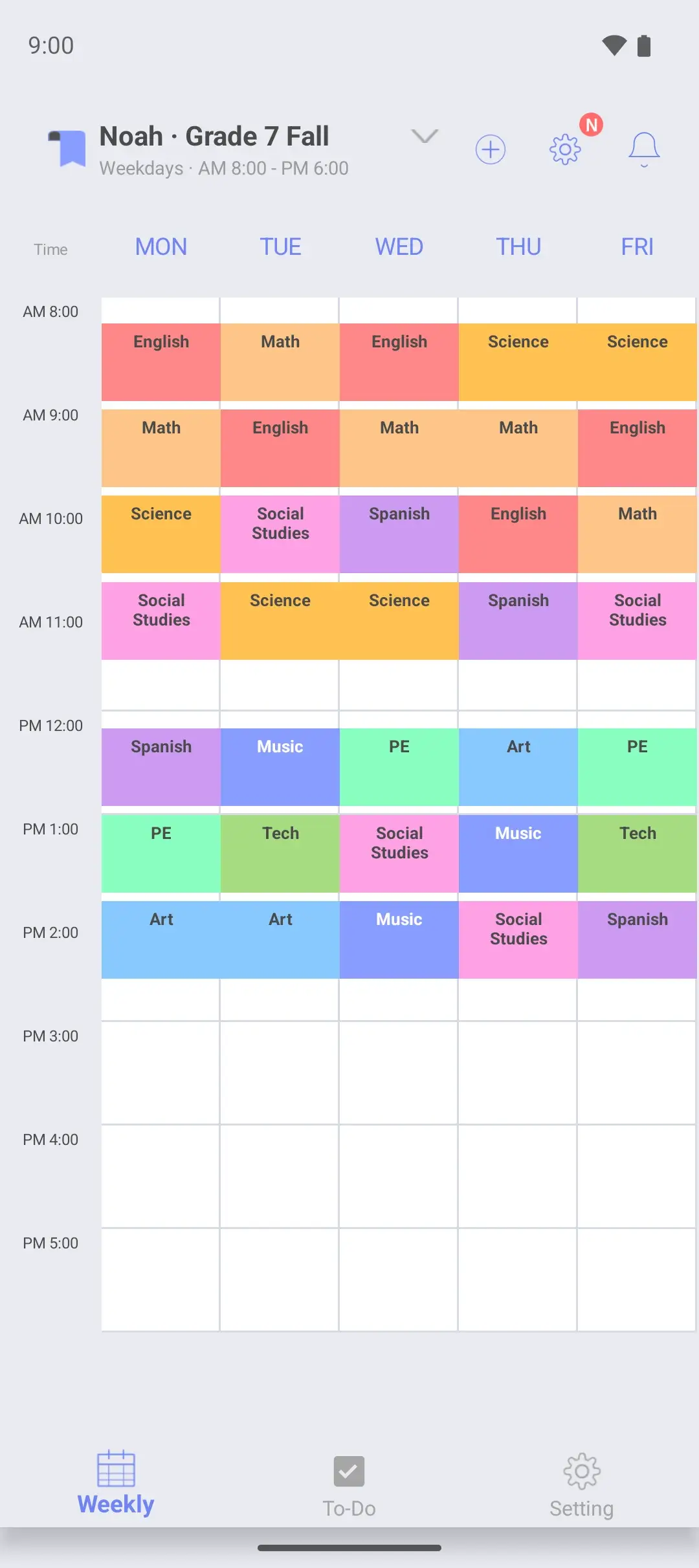
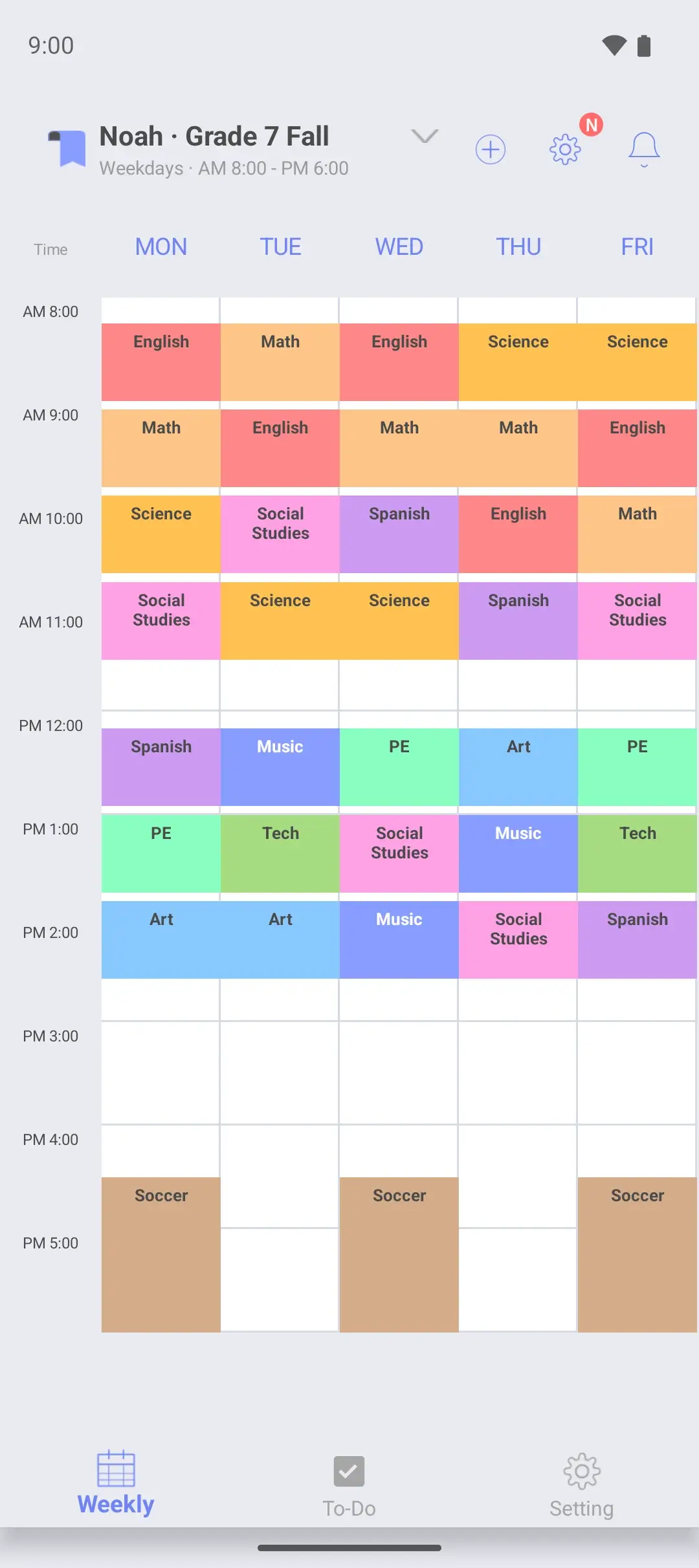
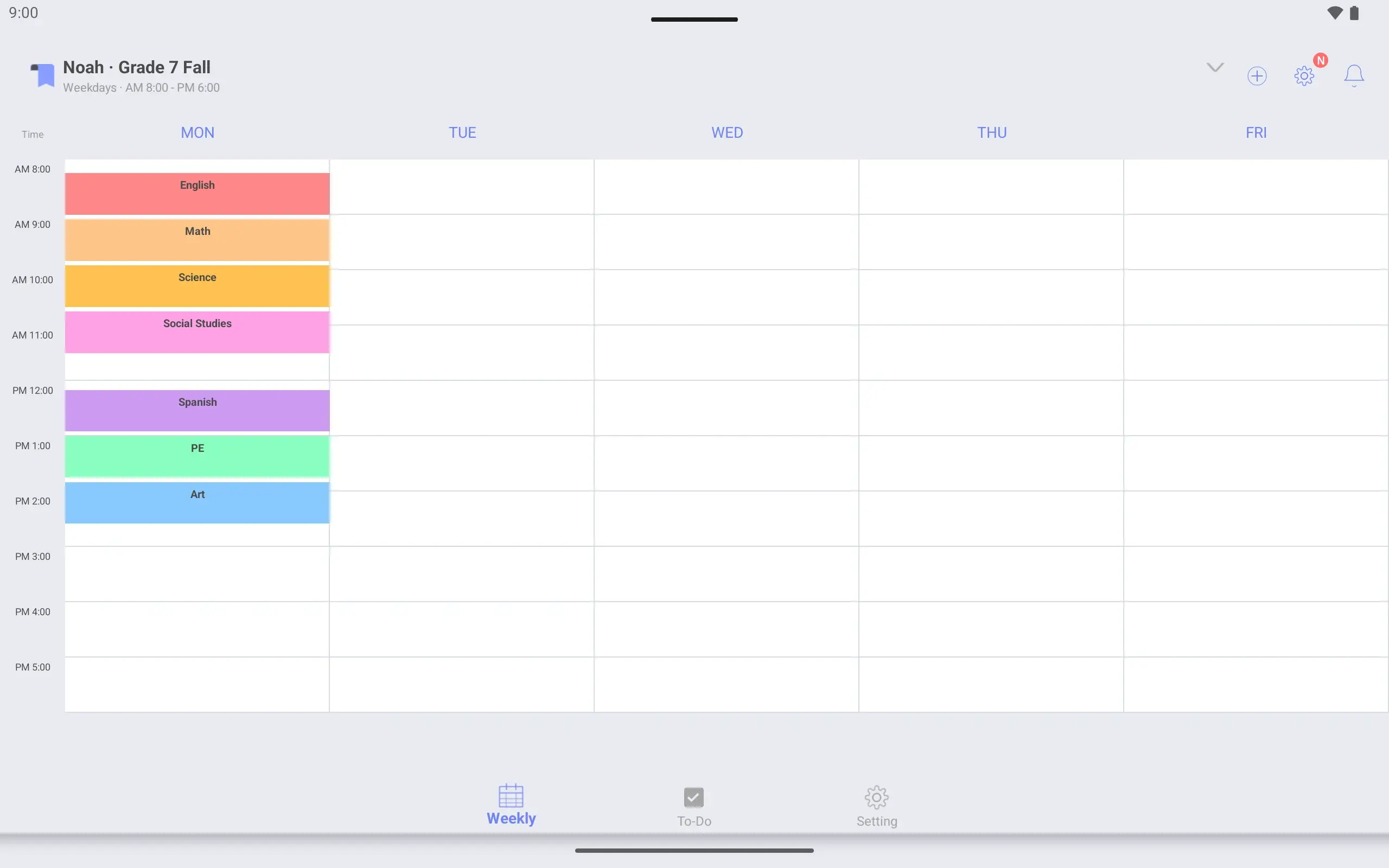
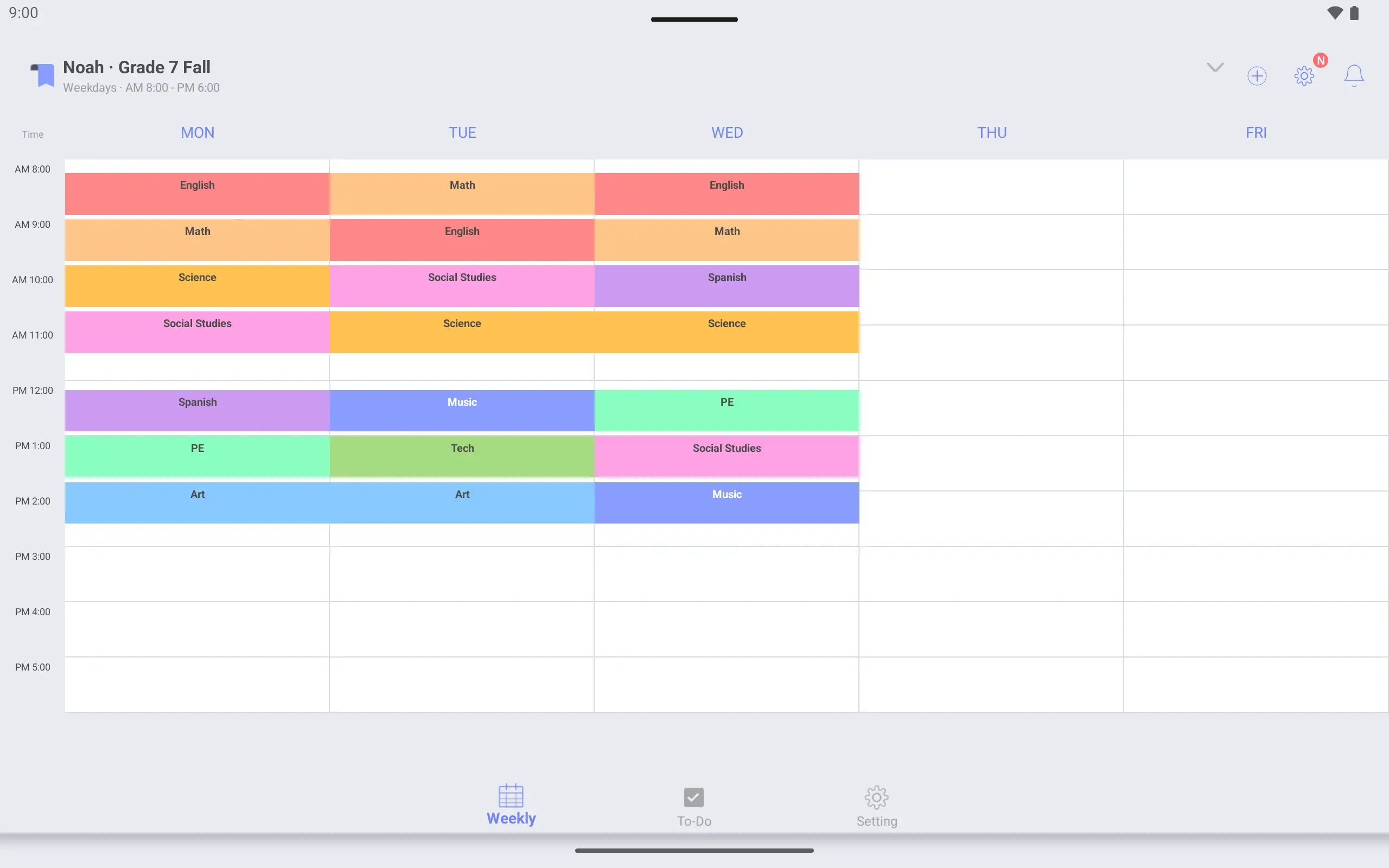
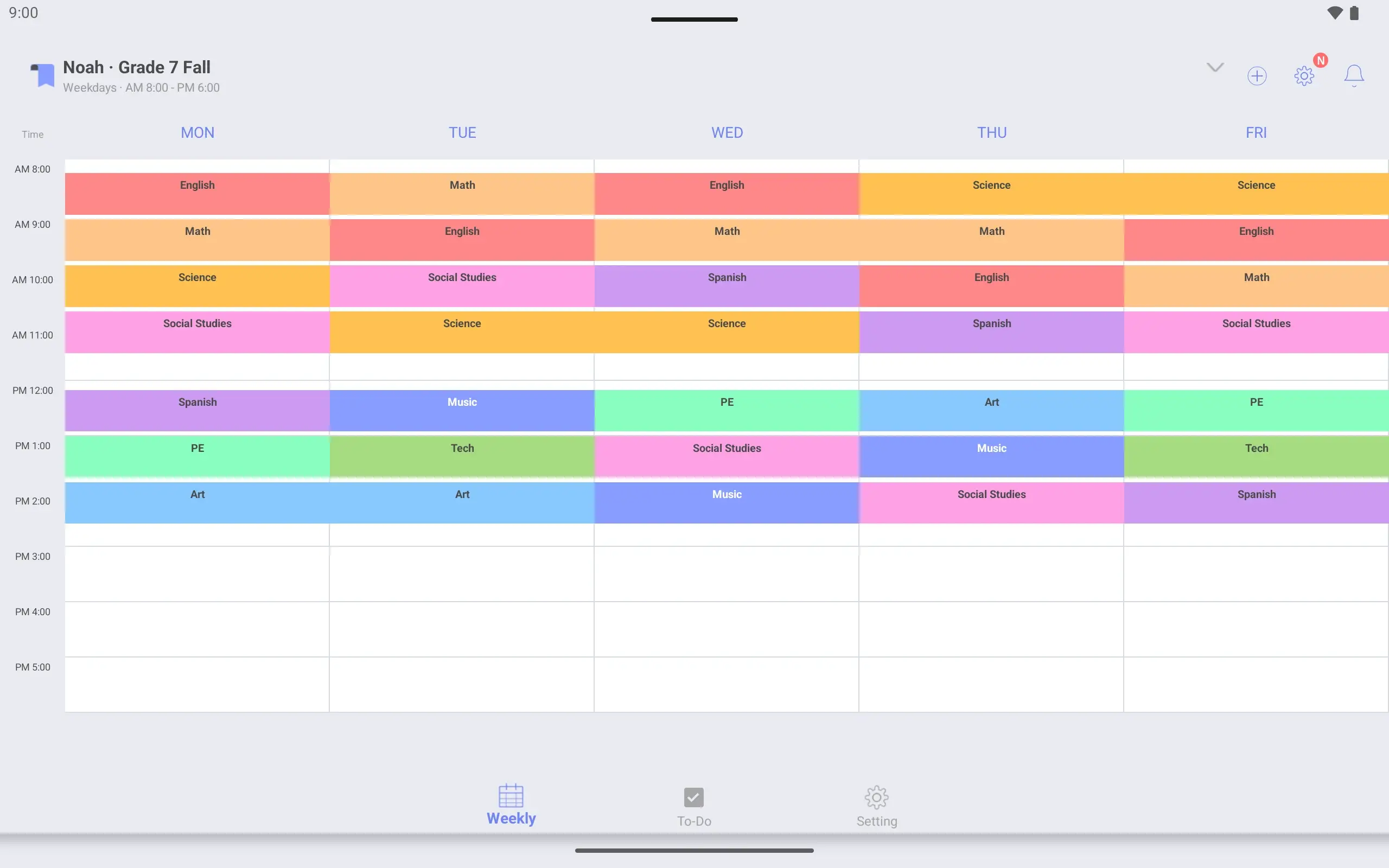
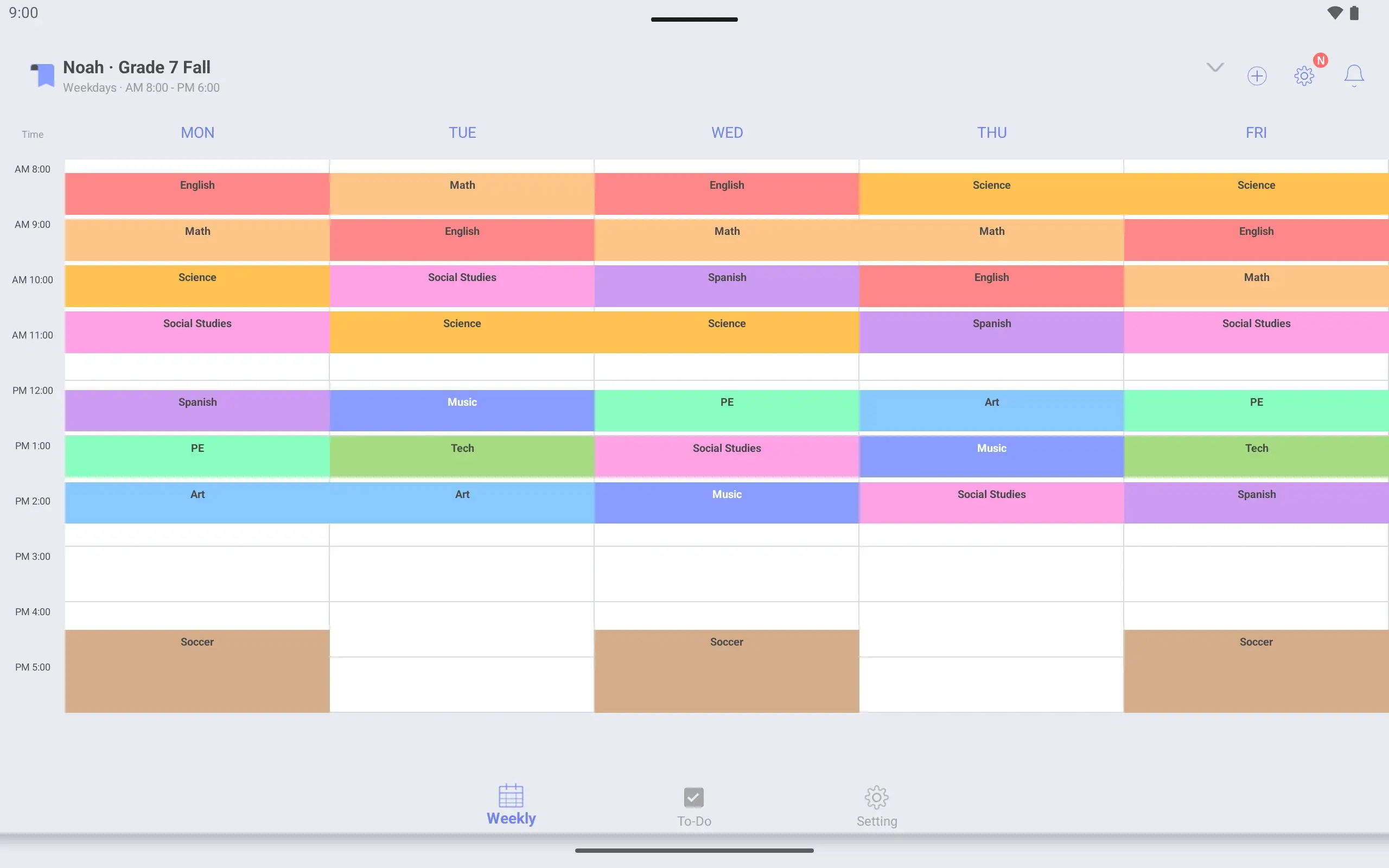
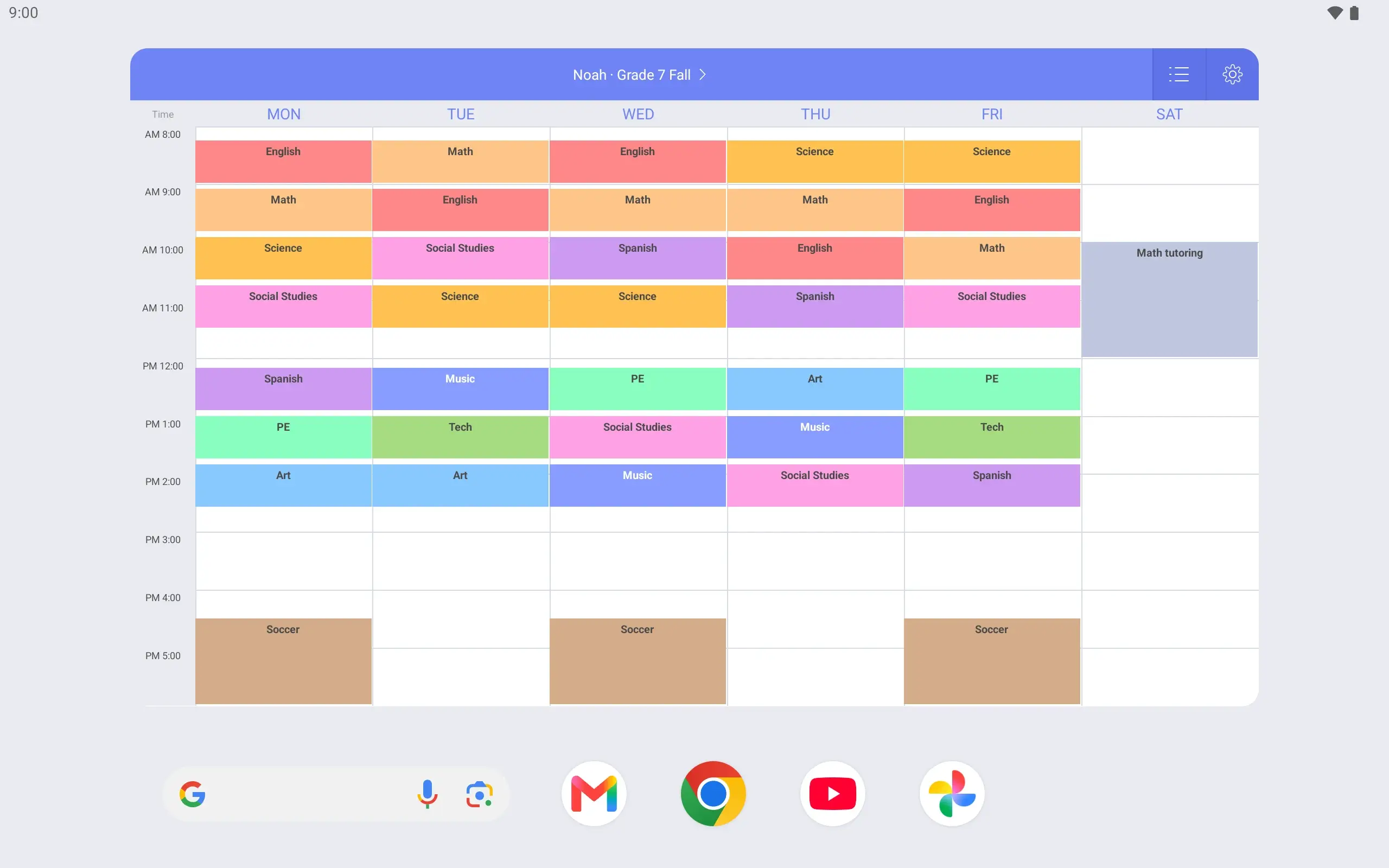
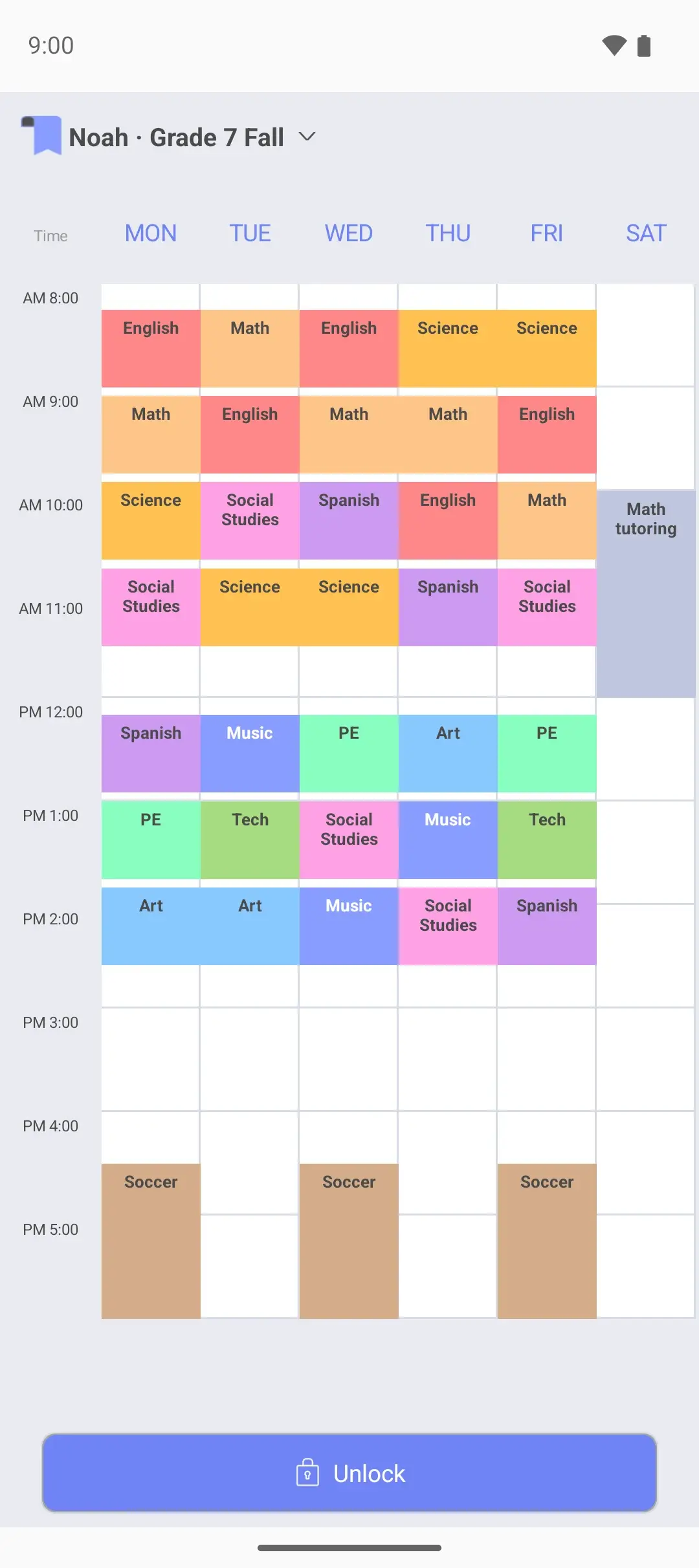
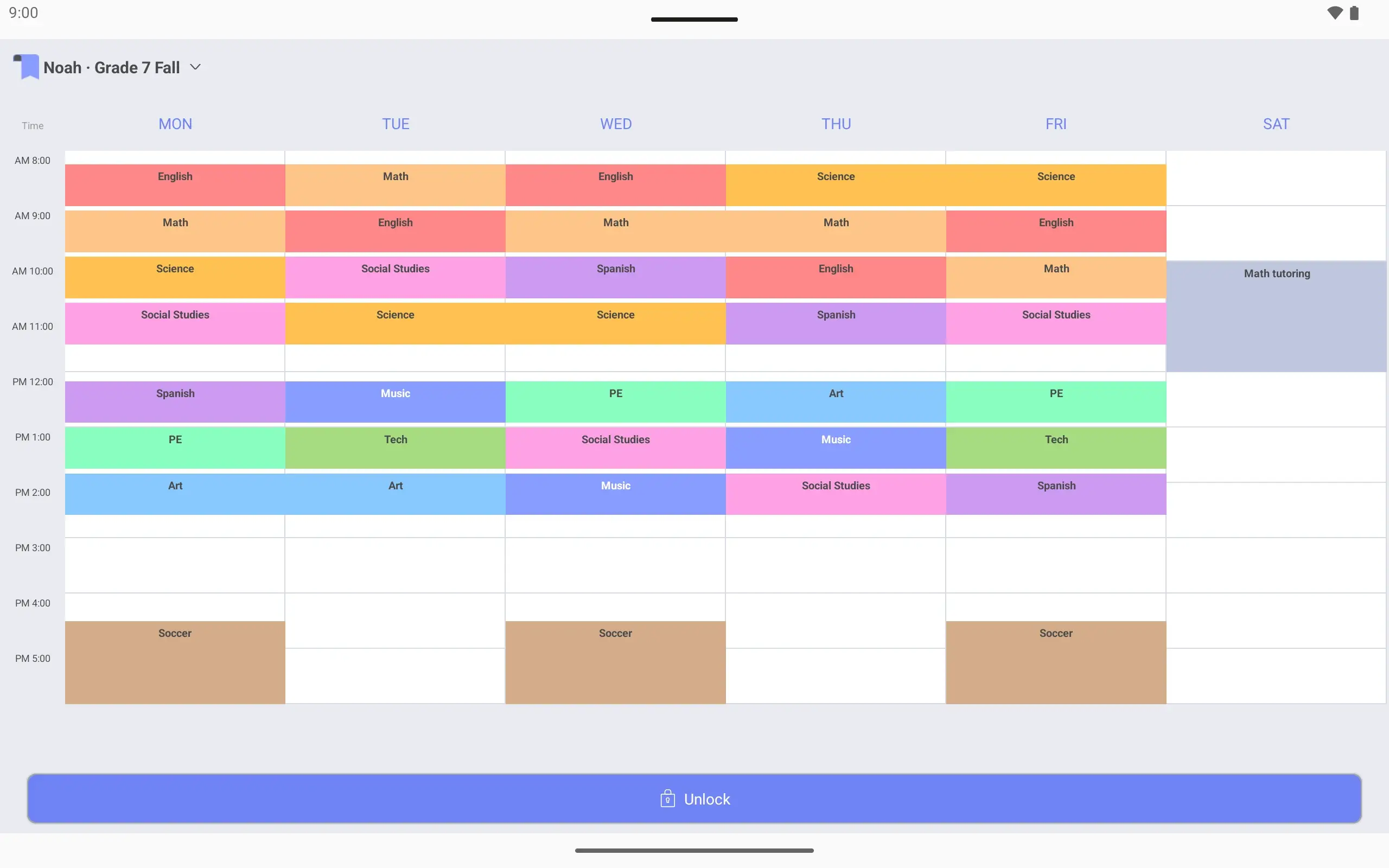
Weekly timetable for Noah · Grade 7 Fall with only Monday's periods filled in. Period 1 is English, 8:15 to 9:00.Weekly timetable for Noah · Grade 7 Fall with periods from Monday to Wednesday.Weekly timetable for Noah · Grade 7 Fall with seven 45-minute periods every day from Monday to Friday.Weekly timetable for Noah · Grade 7 Fall. Seven 45-minute periods a day, with soccer practice on Monday, Wednesday and Friday afternoons.
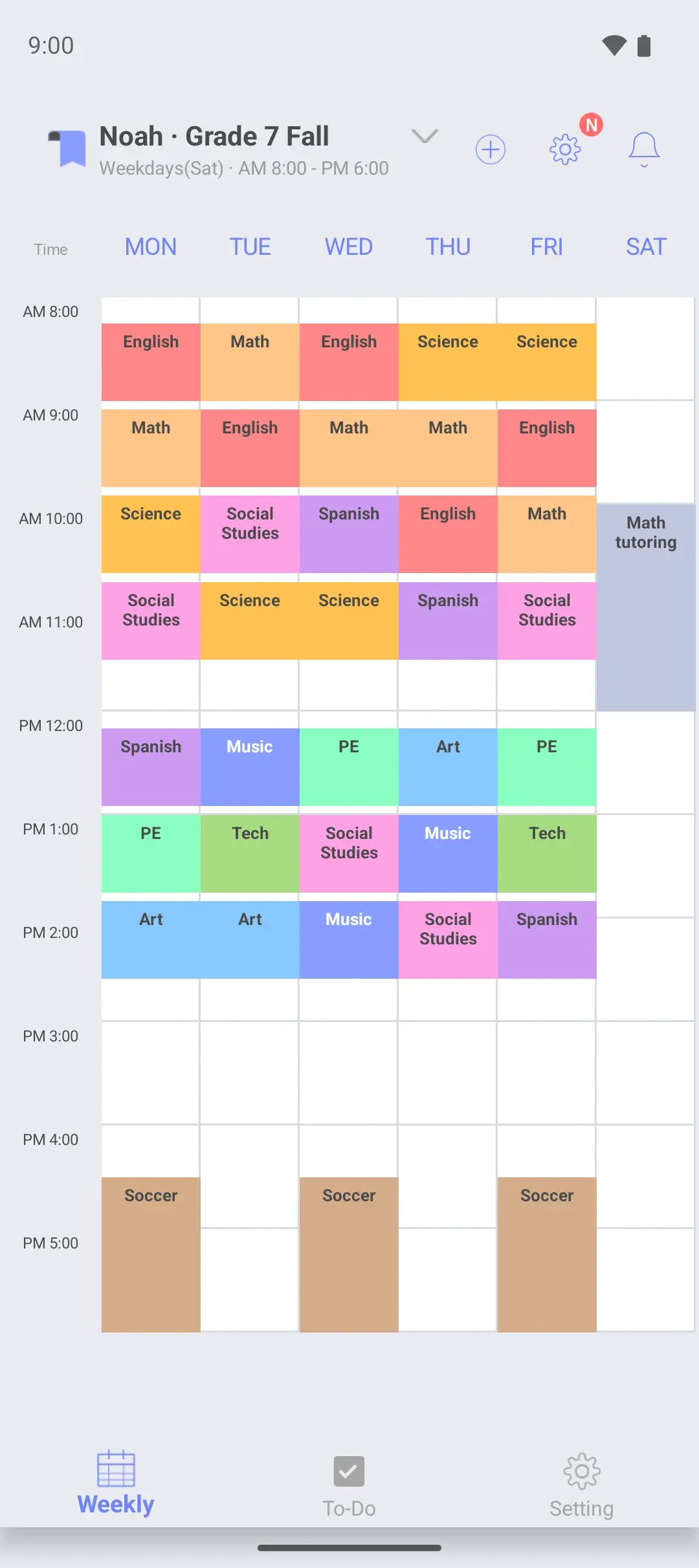
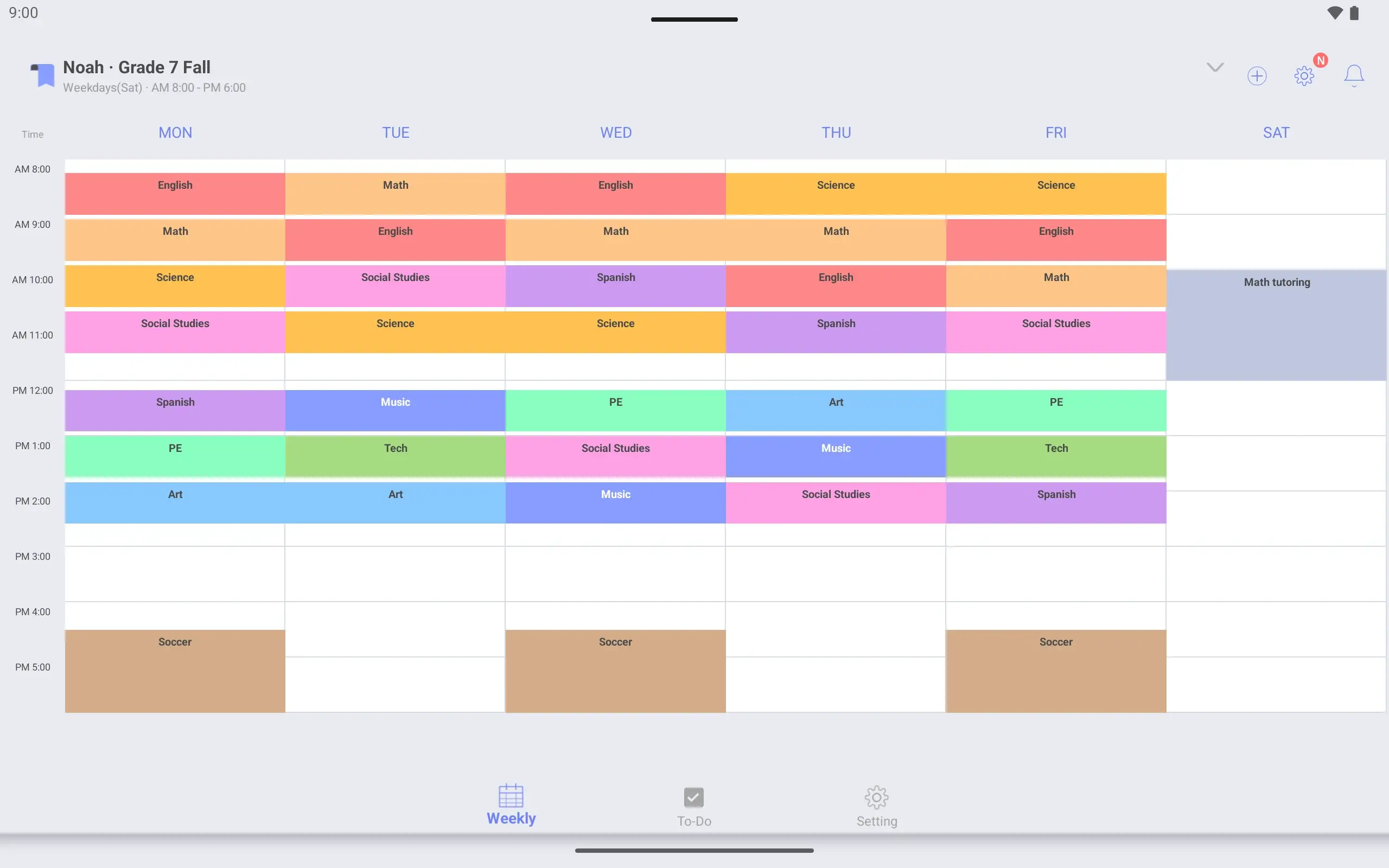
Noah · Grade 7 Fall weekly timetable with a Saturday column added. Math tutoring runs from 10 am to noon on Saturday.
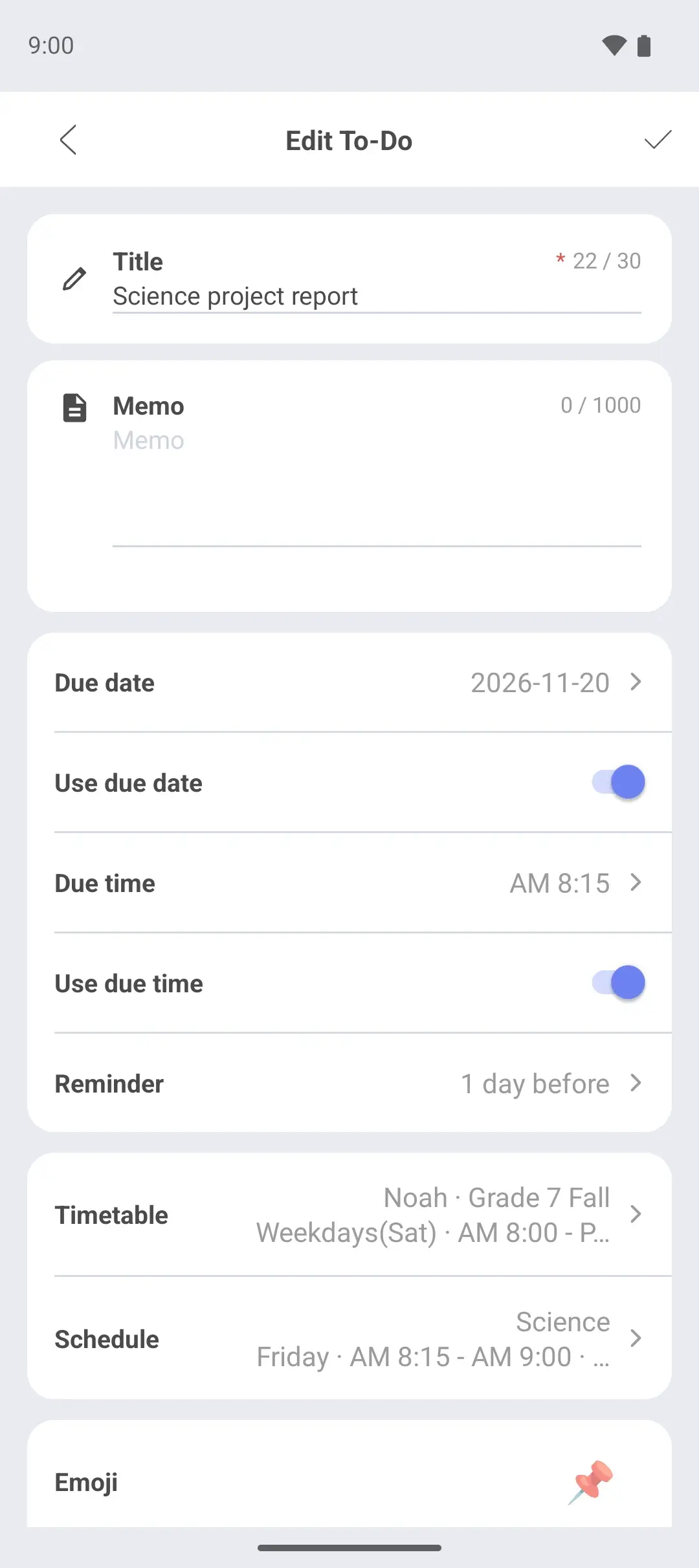
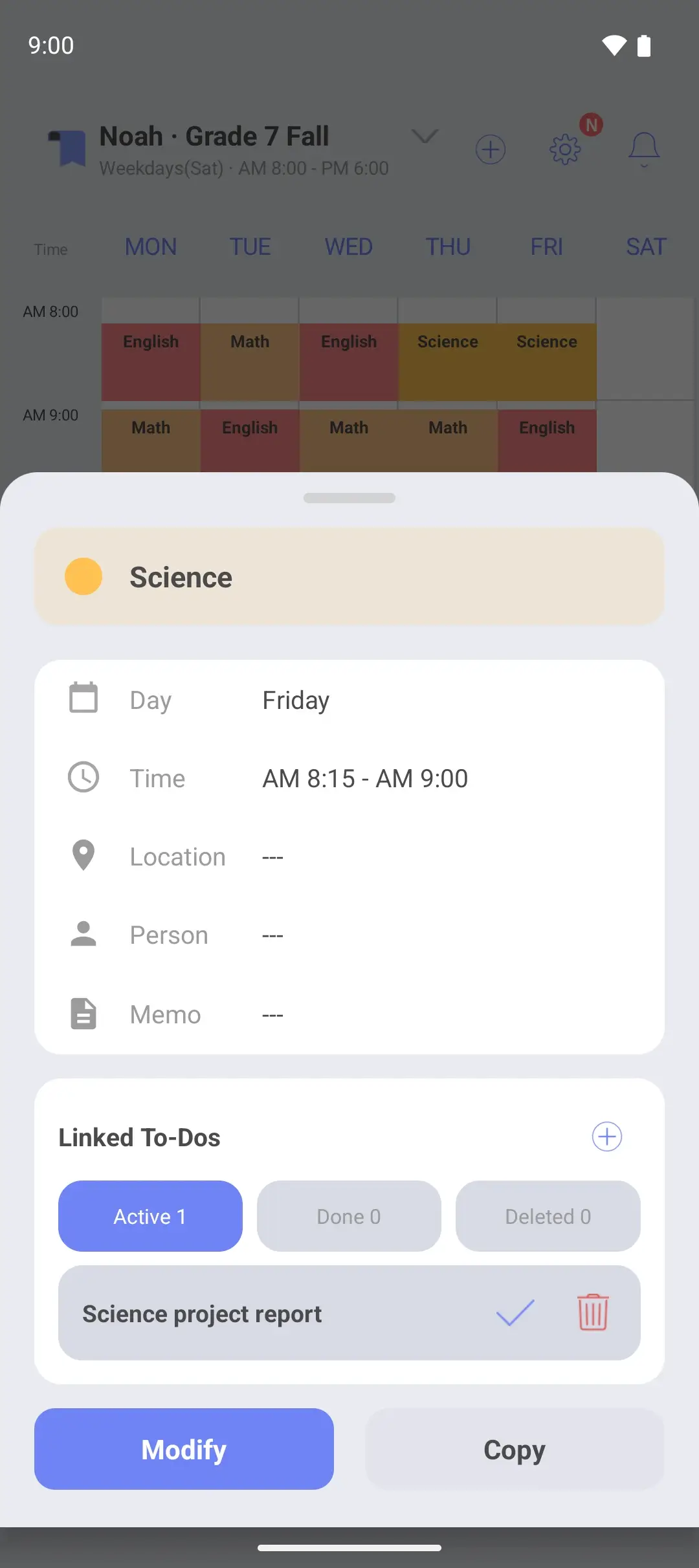
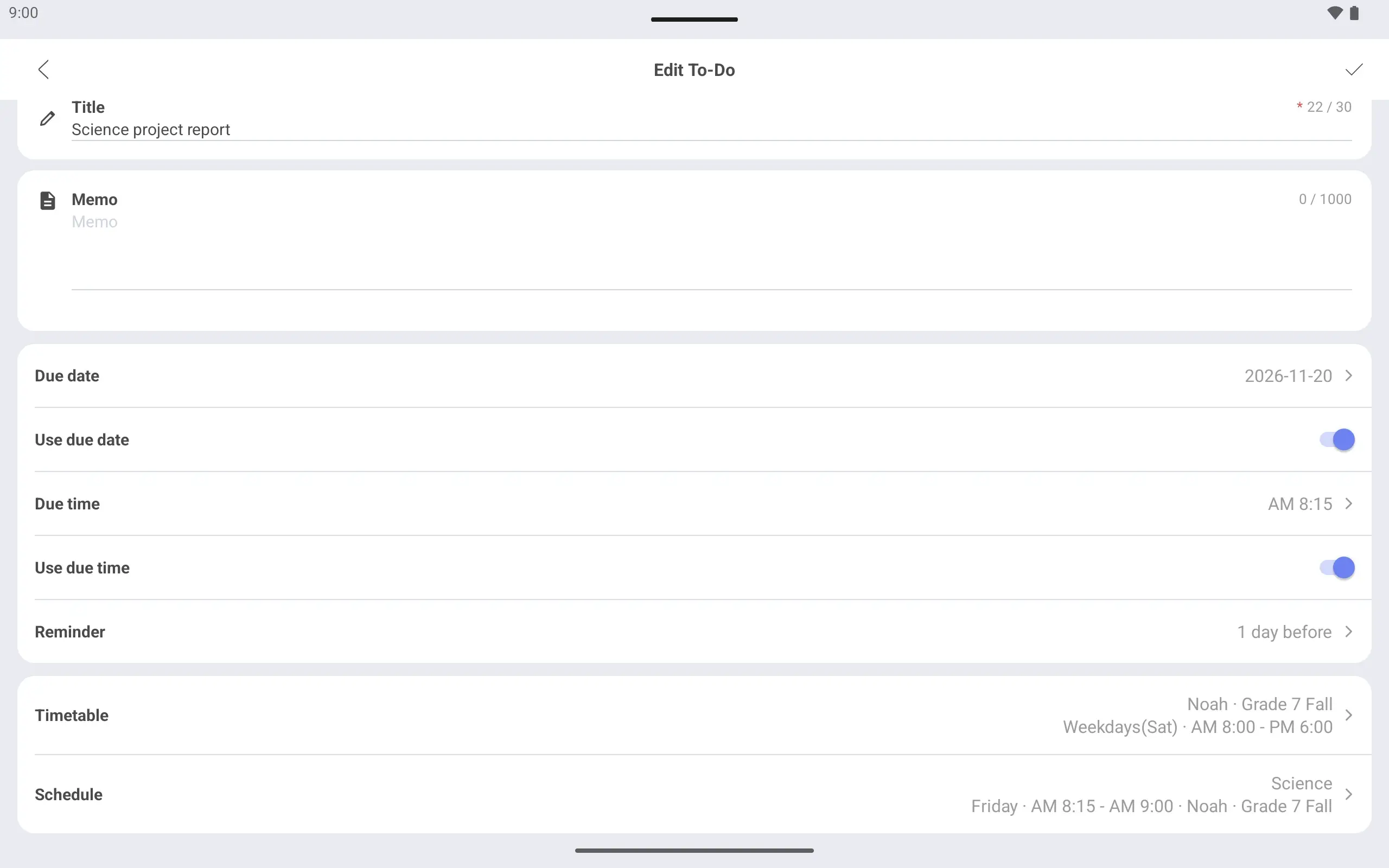
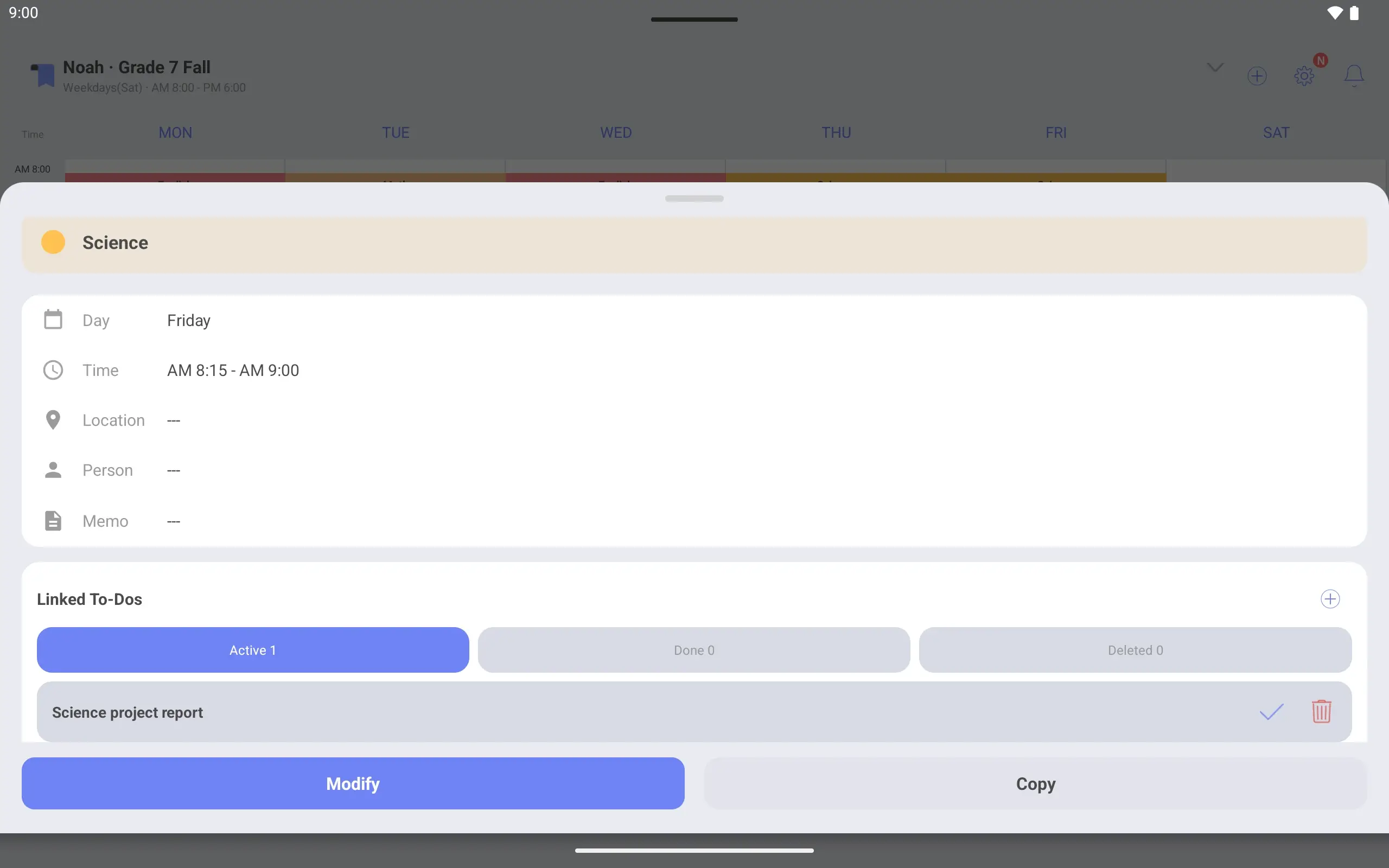
To-Do editing screen. The title is Science project report and it is linked to Friday's Science class.Screen after tapping Friday's Science class on the timetable, with Science project report among its linked To-Dos.
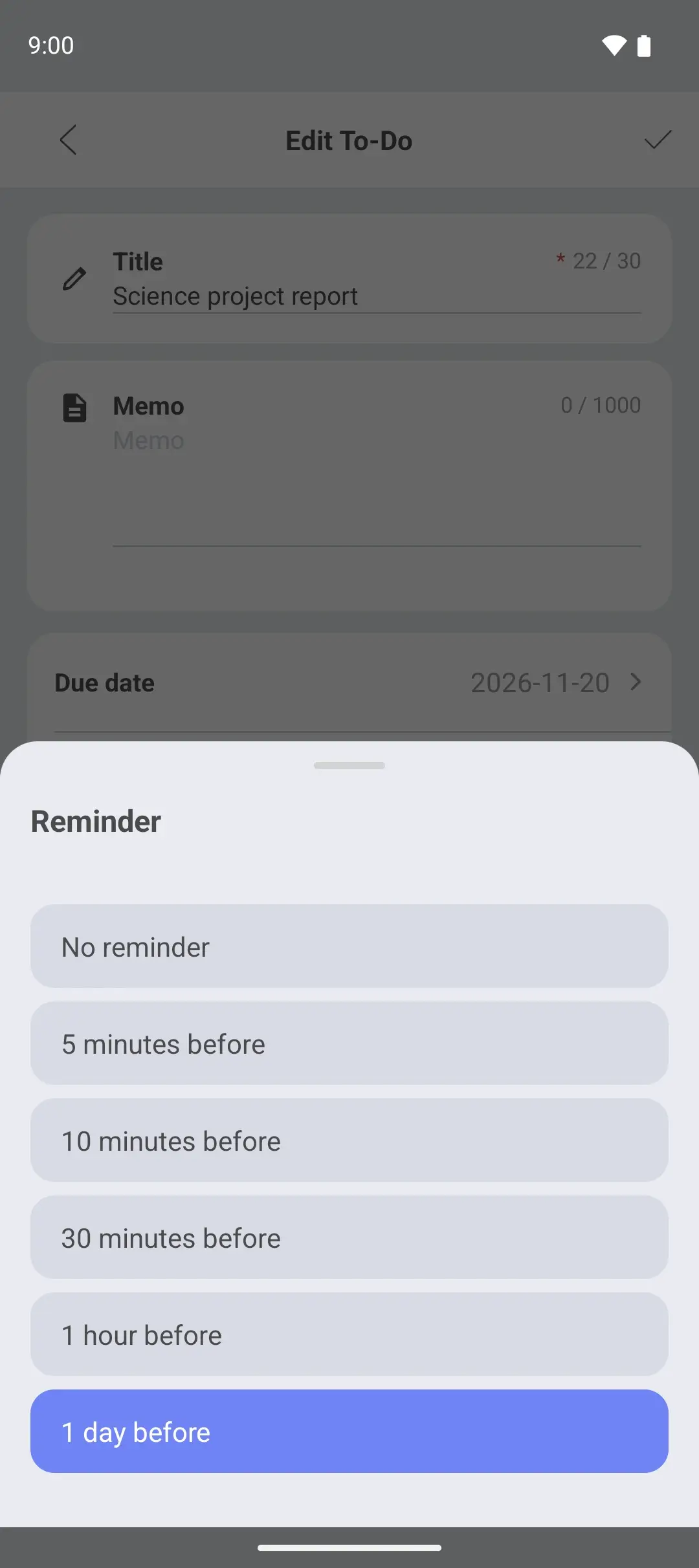
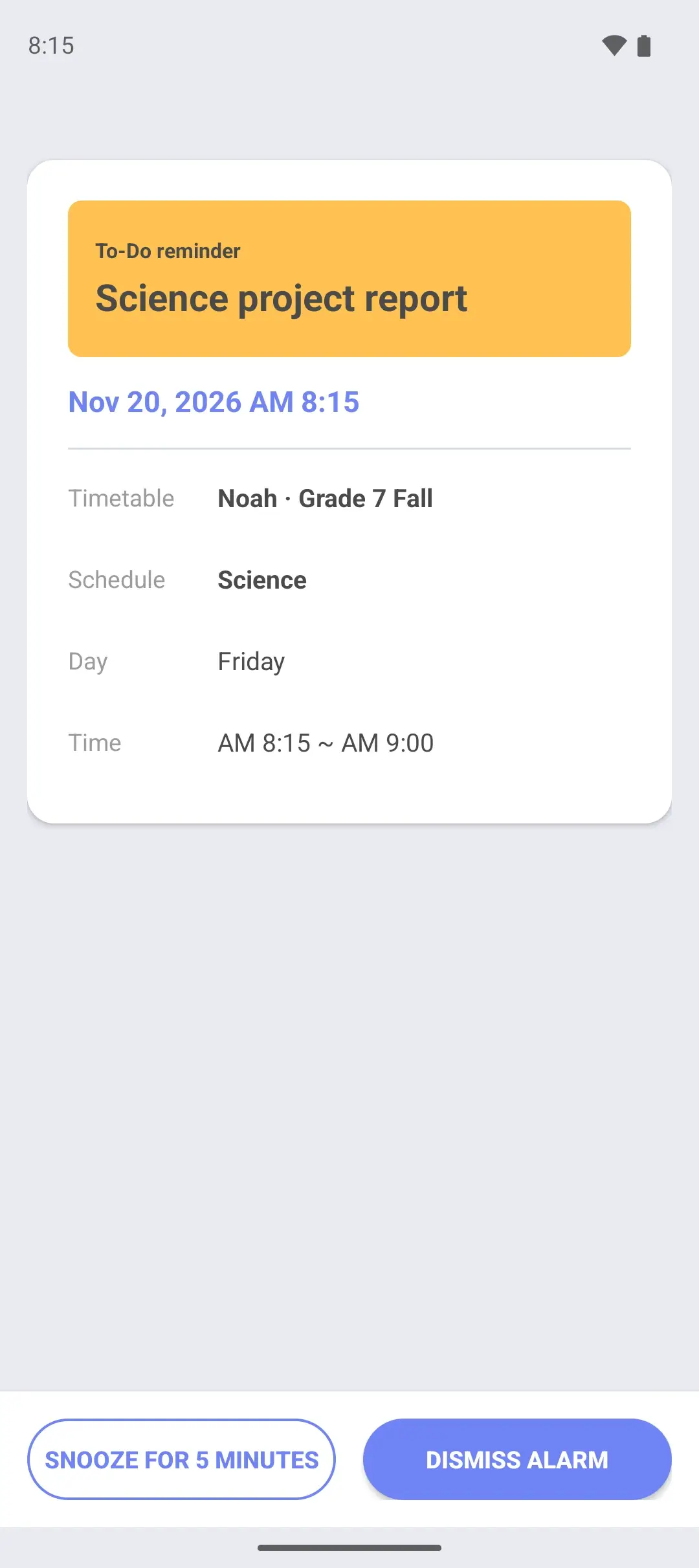
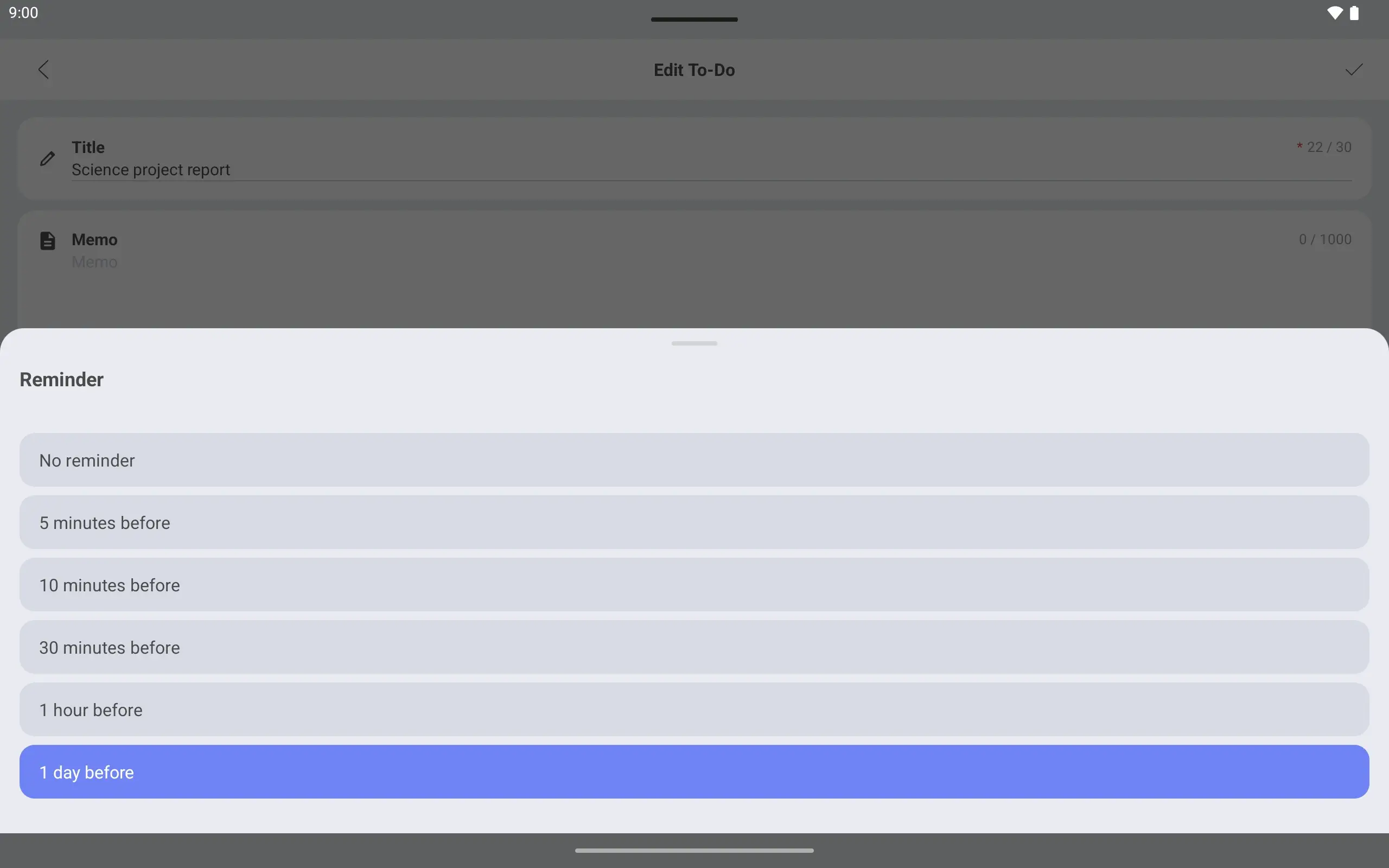
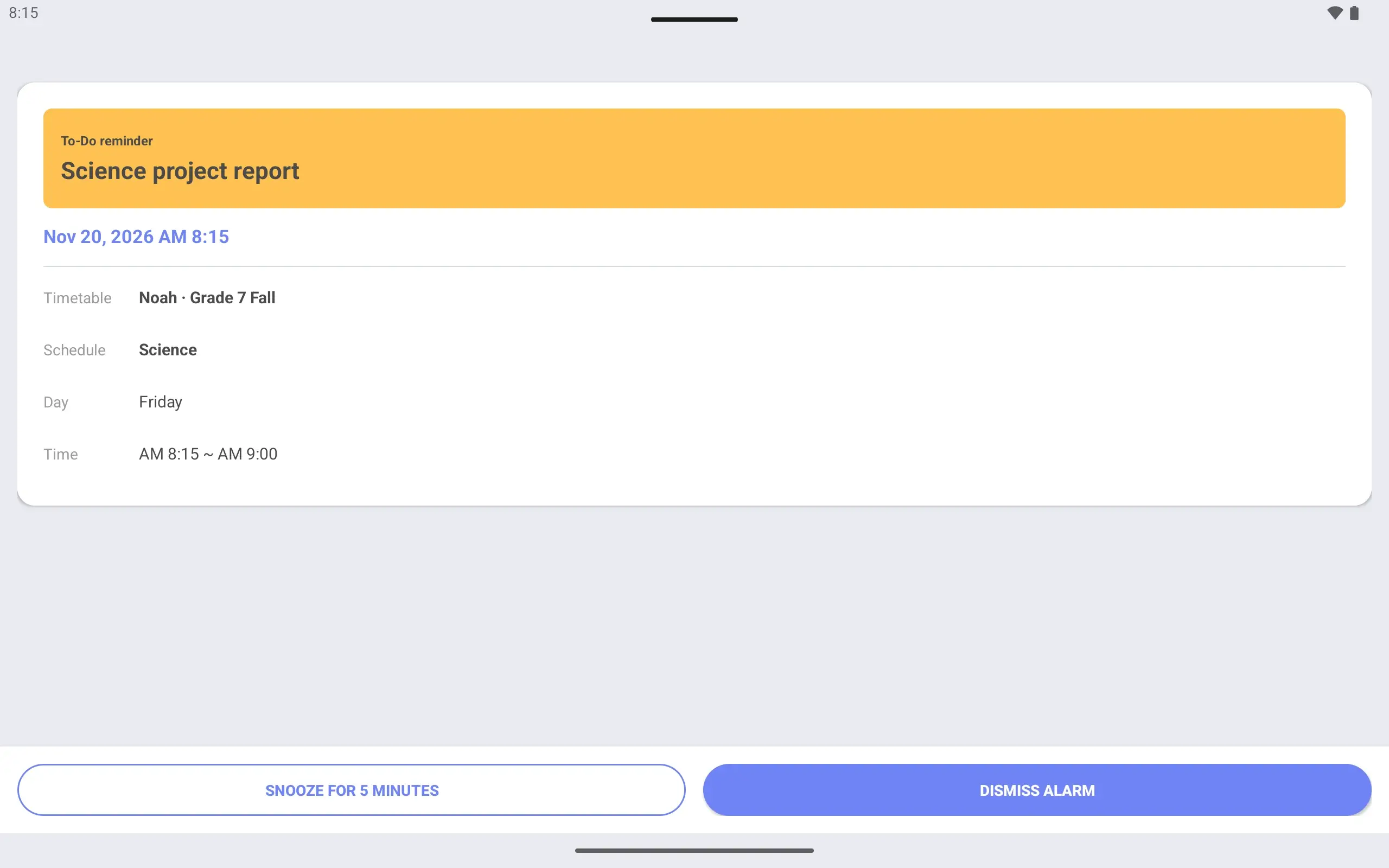
Screen for choosing when to be reminded, with five choices from 5 minutes to 1 day before.Alarm screen that opened at the reminder time, showing Science project report with snooze and dismiss buttons.
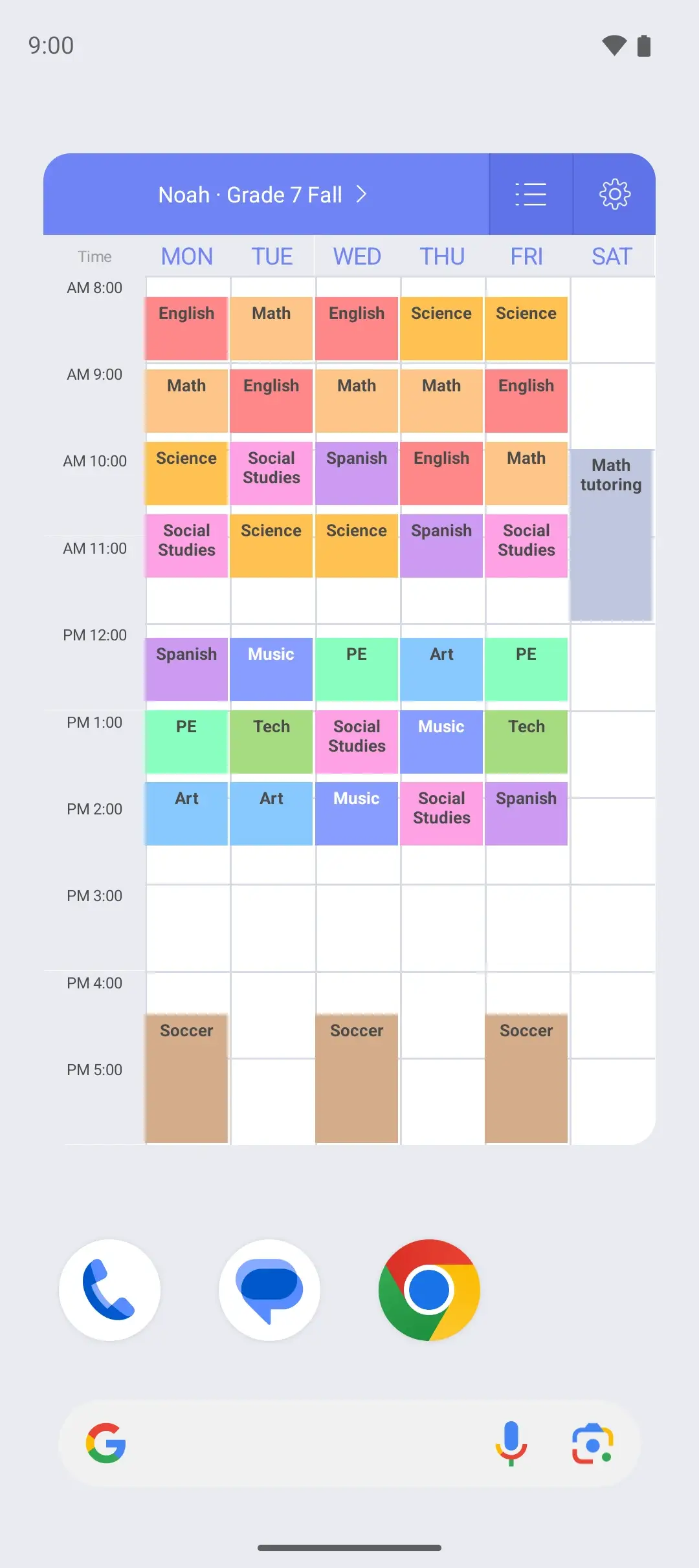
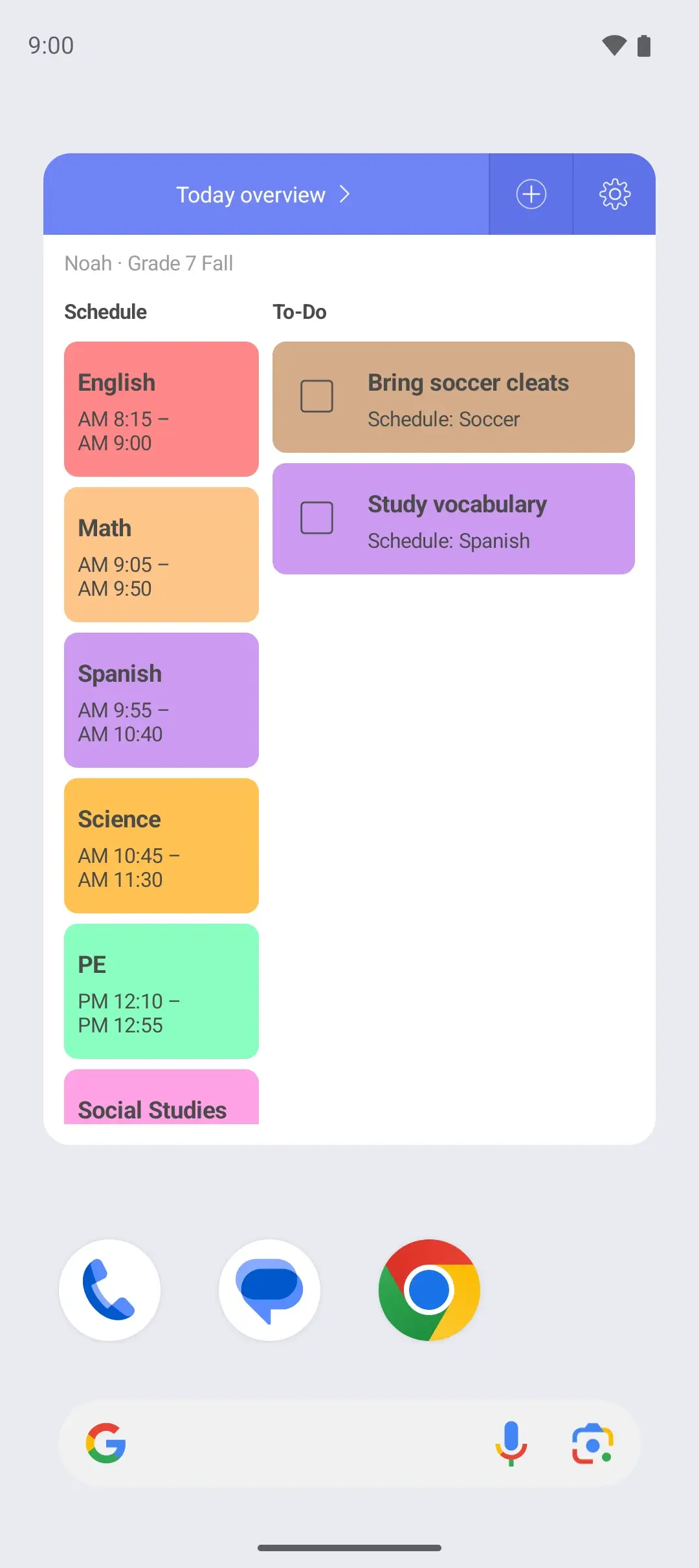
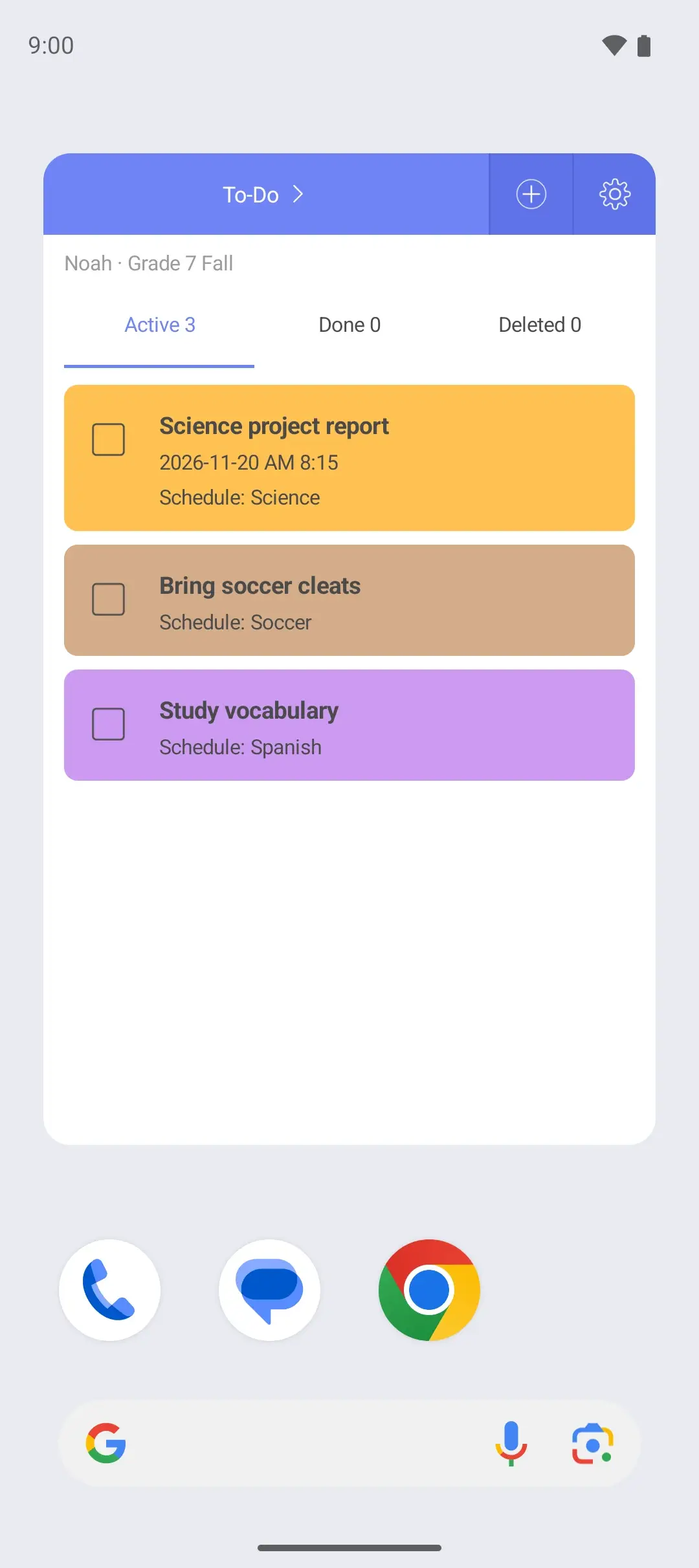
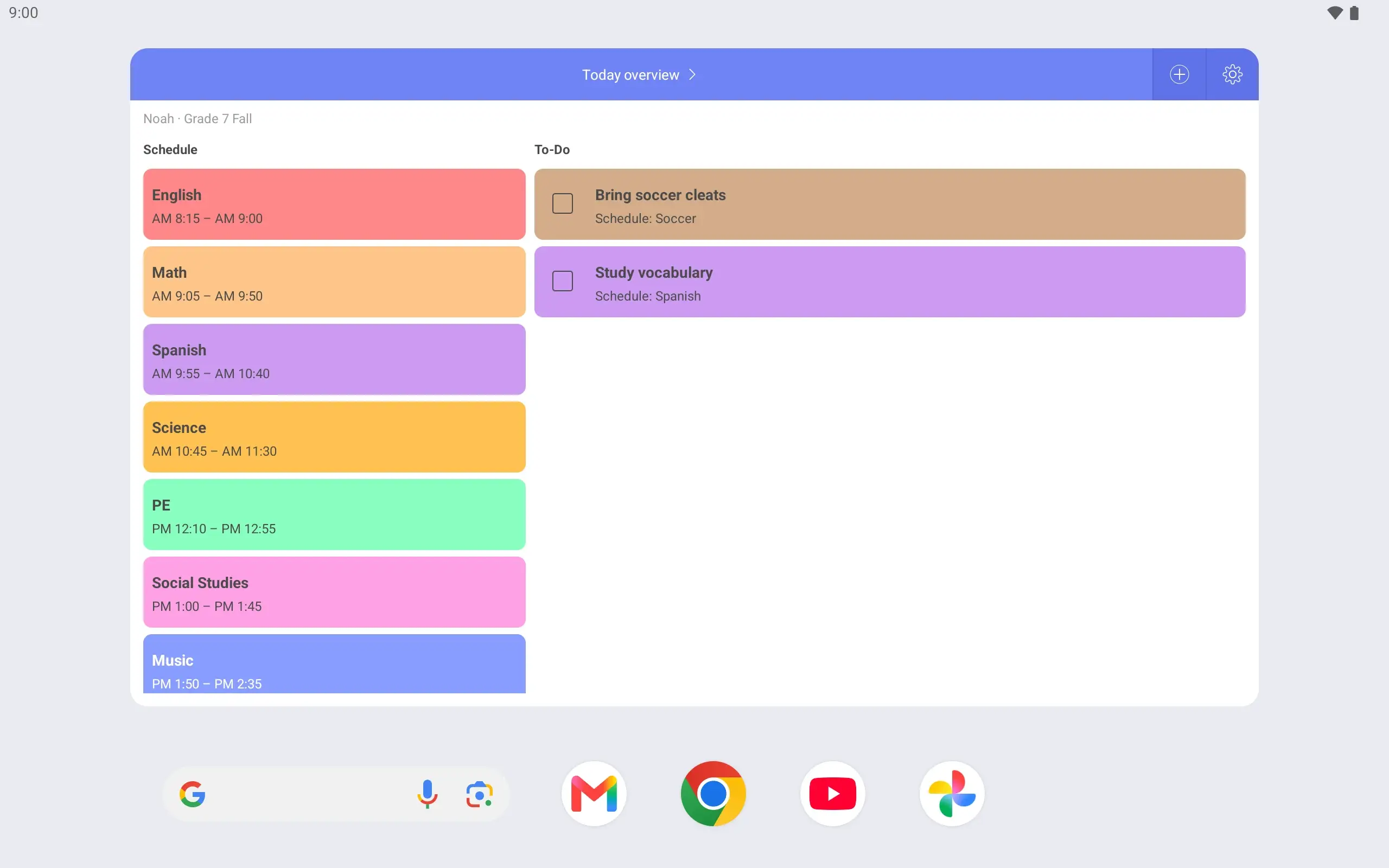
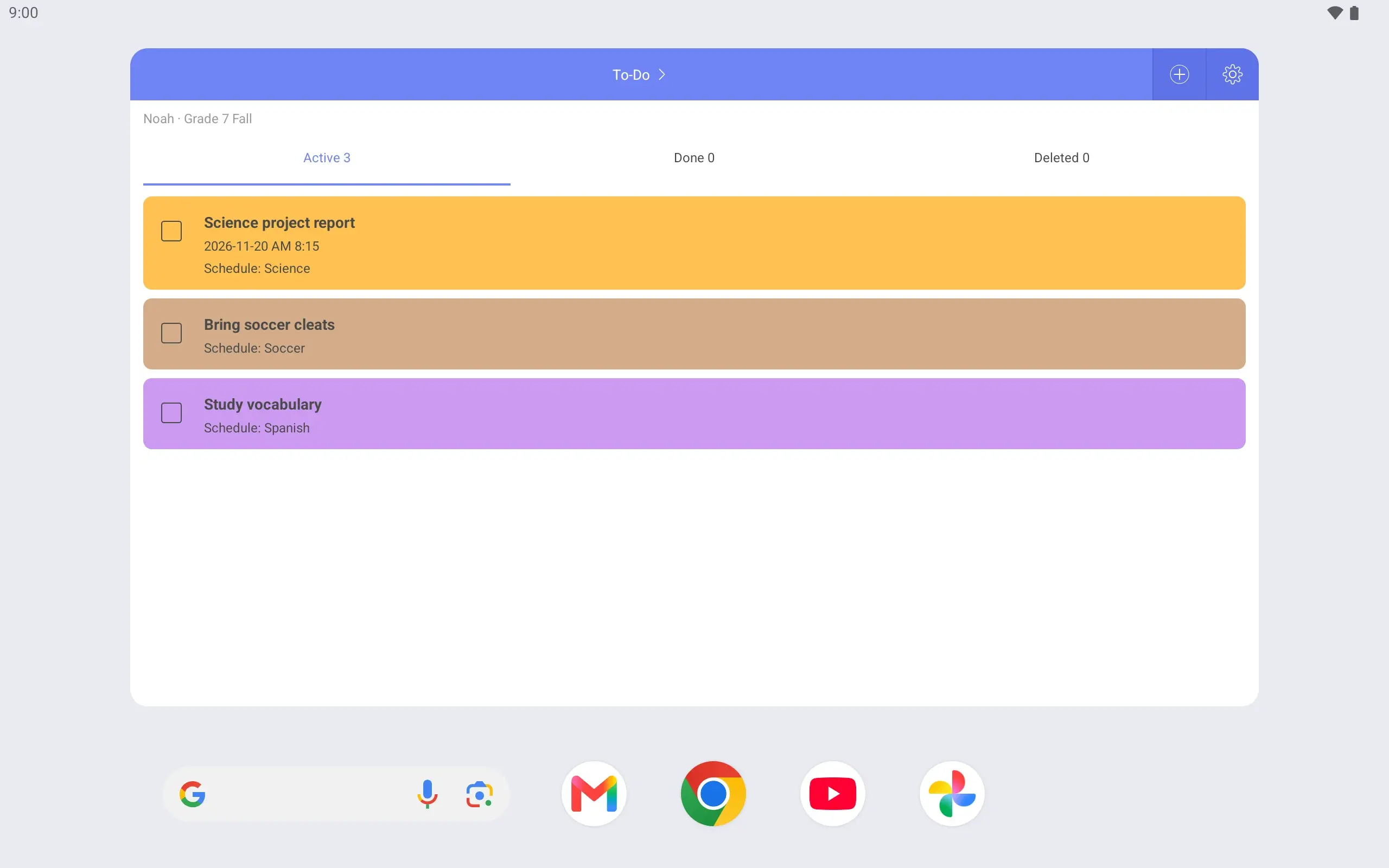
Weekly widget on the home screen showing the week of the Noah · Grade 7 Fall timetable.Today overview widget on the home screen, with today's schedule and tasks side by side.To-Do widget on the home screen listing tasks, including Science project report.
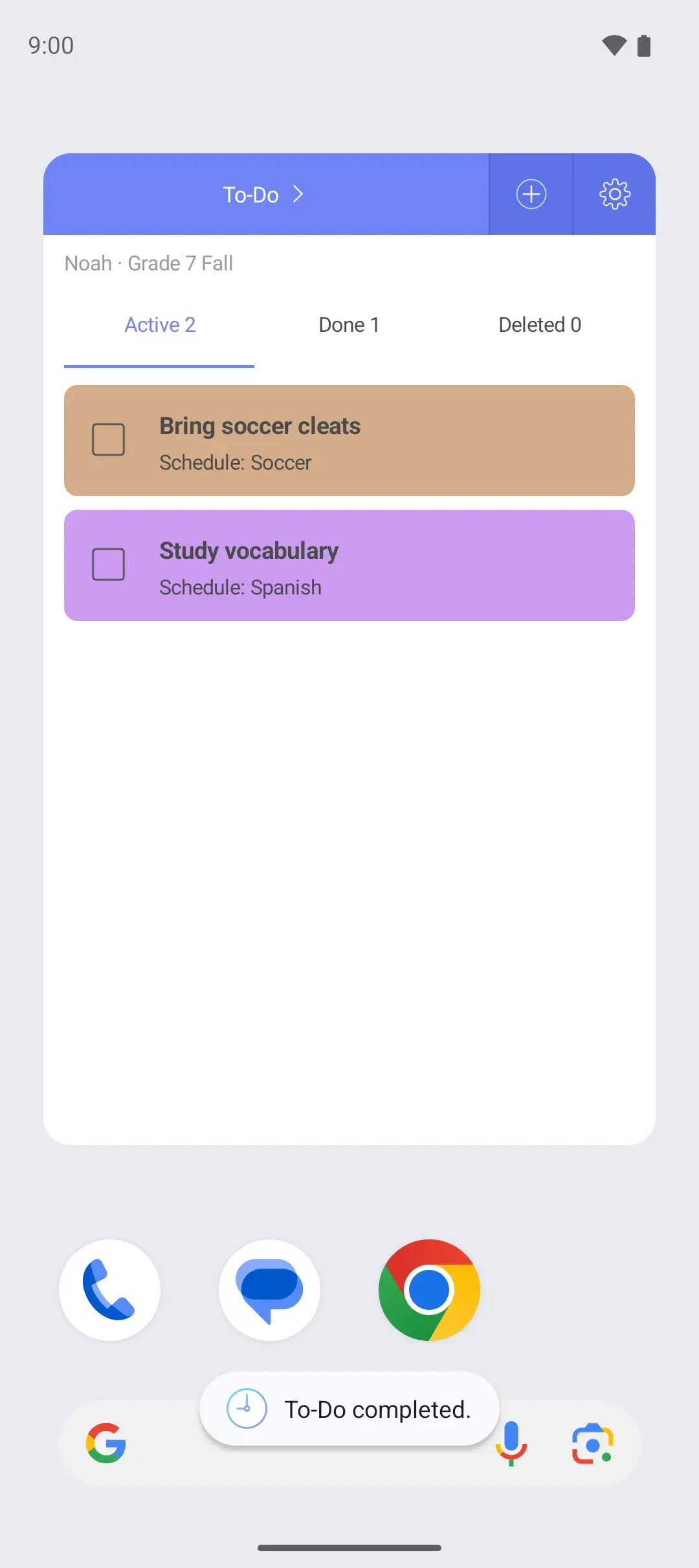
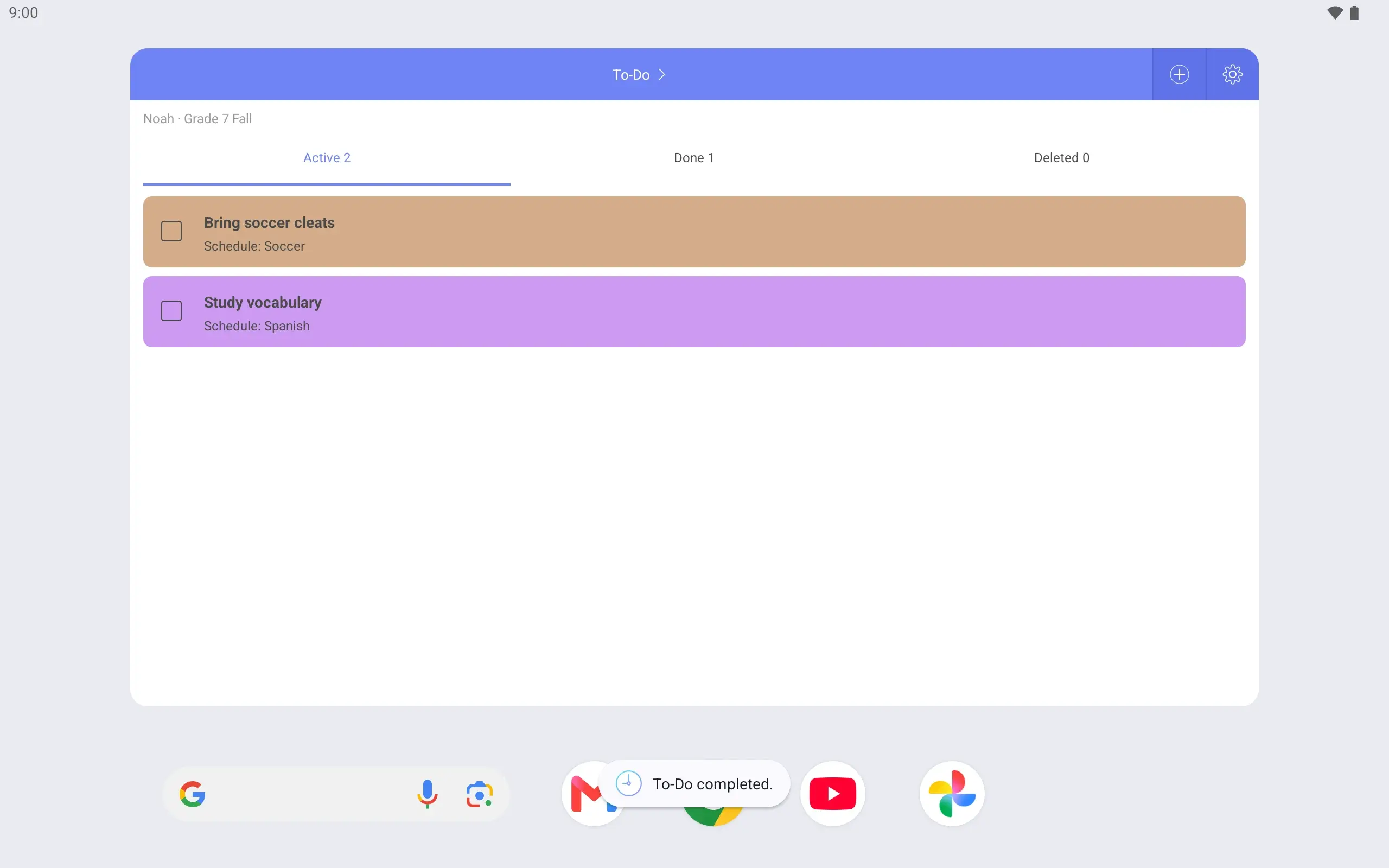
Marking Science project report as complete in the To-Do widget on the home screen.
Lock screen showing the Noah · Grade 7 Fall weekly timetable, with an unlock button below it.

In eight steps

  1. Noah’s timetable covers 8 am to 6 pm. First period starts at 8:15 am and soccer practice ends at 6 pm. For now it shows Monday to Friday.

  2. Periods are 45 minutes with 5-minute breaks. Because times are set to the minute, they match the school’s bell schedule. Seventh period ends at 2:35 pm, and soccer practice runs 4:30 to 6:00 on Monday, Wednesday and Friday.

  3. Change the days shown in the timetable settings. Extend Monday–Friday to Saturday, and tutoring from 10 am to noon appears on the same page. Sunday can be added too.

  4. A To-Do has a due date and a class it is linked to. Tap that Science class on the timetable and the project shows with it, so it is always clear which class a task belongs to.

  5. The report is due Friday morning, with a “1 day before” reminder. On Thursday morning an alarm screen opens. Tap “Snooze for 5 minutes” and it rings once more five minutes later.

  6. There are three widgets: weekly, Today overview and To-Do. Choose Noah’s timetable when you place the weekly widget, and the home screen tells you whether today is a practice day.

  7. Mark the report complete in the To-Do widget. Tasks due today can be completed in the Today overview widget too. The app’s To-Do list updates with it, so there is nothing to check off twice.

  8. Turn on “Show weekly table on lock screen” in settings and Noah’s timetable appears every time the phone wakes. It only shows the timetable; nothing changes until the phone is unlocked.

1 / 8

Screens are from the Android app

A fuller version of the iPhone app is on the way.

Middle school timetable: common questions

Can it match 45-minute periods that start at 8:15?
Yes. Start and end times are set to the minute. Enter 8:15–9:00 just as it is printed on the school schedule.
Can I see school classes and after-school activities together?
Yes. Put classes and activities on one timetable and they show on one page. If you would rather keep them apart, make a second timetable and switch between the two.
Can I add Saturday and Sunday?
Yes. In the timetable settings, extend the days shown to the weekend. Saturday and Sunday plans then go on the same page.
See all questions

See also

Get SimpleScheduler

A fuller version of the iPhone app is on the way.